> ## Documentation Index
> Fetch the complete documentation index at: https://docs.polymarket.com/llms.txt
> Use this file to discover all available pages before exploring further.
# Prices & Orderbook
> How prices work and how the order book enables peer-to-peer trading
Polymarket uses a **Central Limit Order Book (CLOB)** for trading. Prices aren't set by Polymarket—they emerge from supply and demand as users trade with each other.
 ## Prices Are Probabilities
Every share on Polymarket is priced between `$0.00` and `$1.00`. The price directly represents the market's belief in the probability of that outcome.
| Price | Implied Probability |
| - | - |
| \$0.25 | 25% chance |
| \$0.50 | 50% chance |
| \$0.75 | 75% chance |
The displayed price is the **midpoint** of the bid-ask spread. If the spread
is wider than \$0.10, the last traded price is shown instead.
### Example
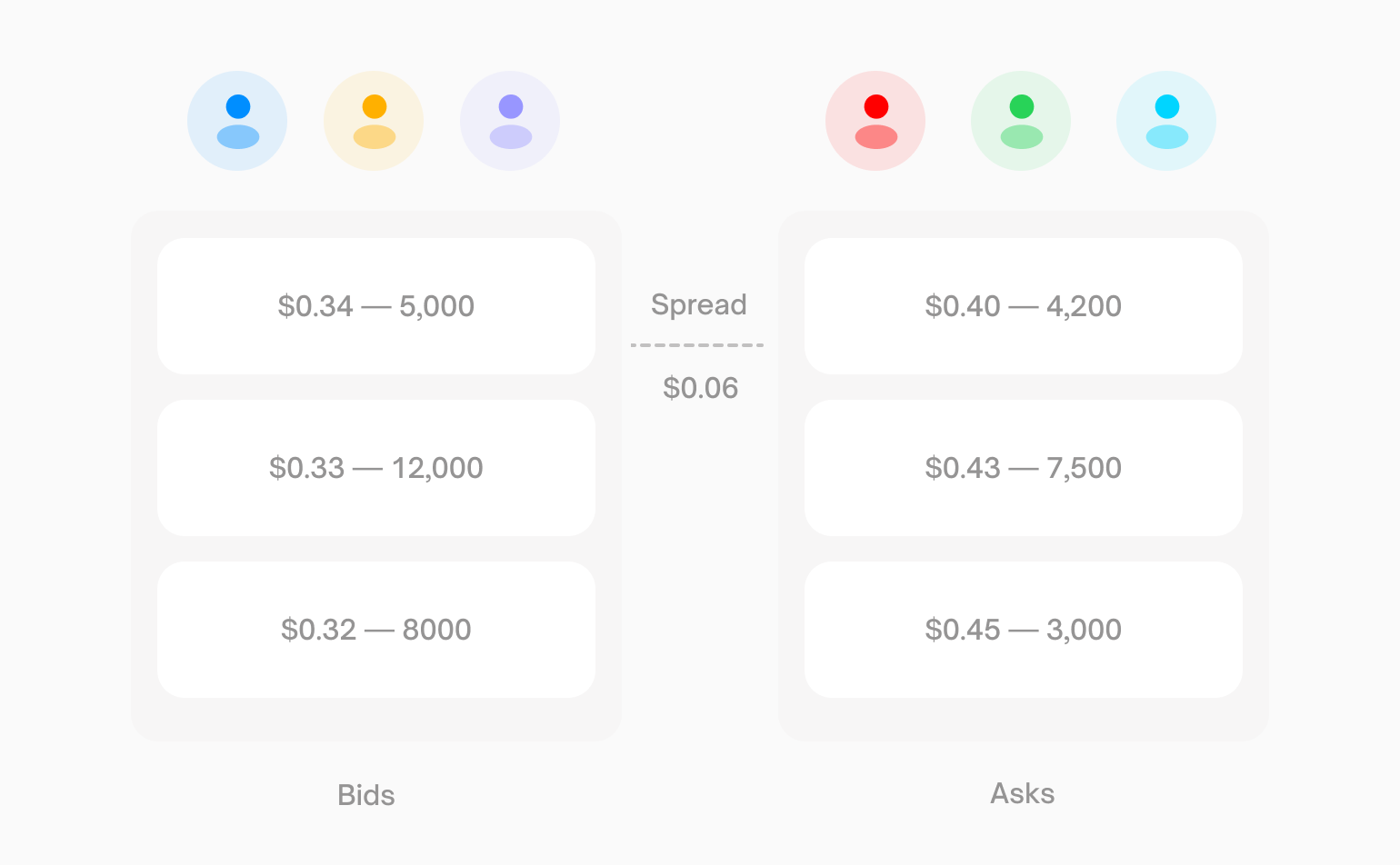
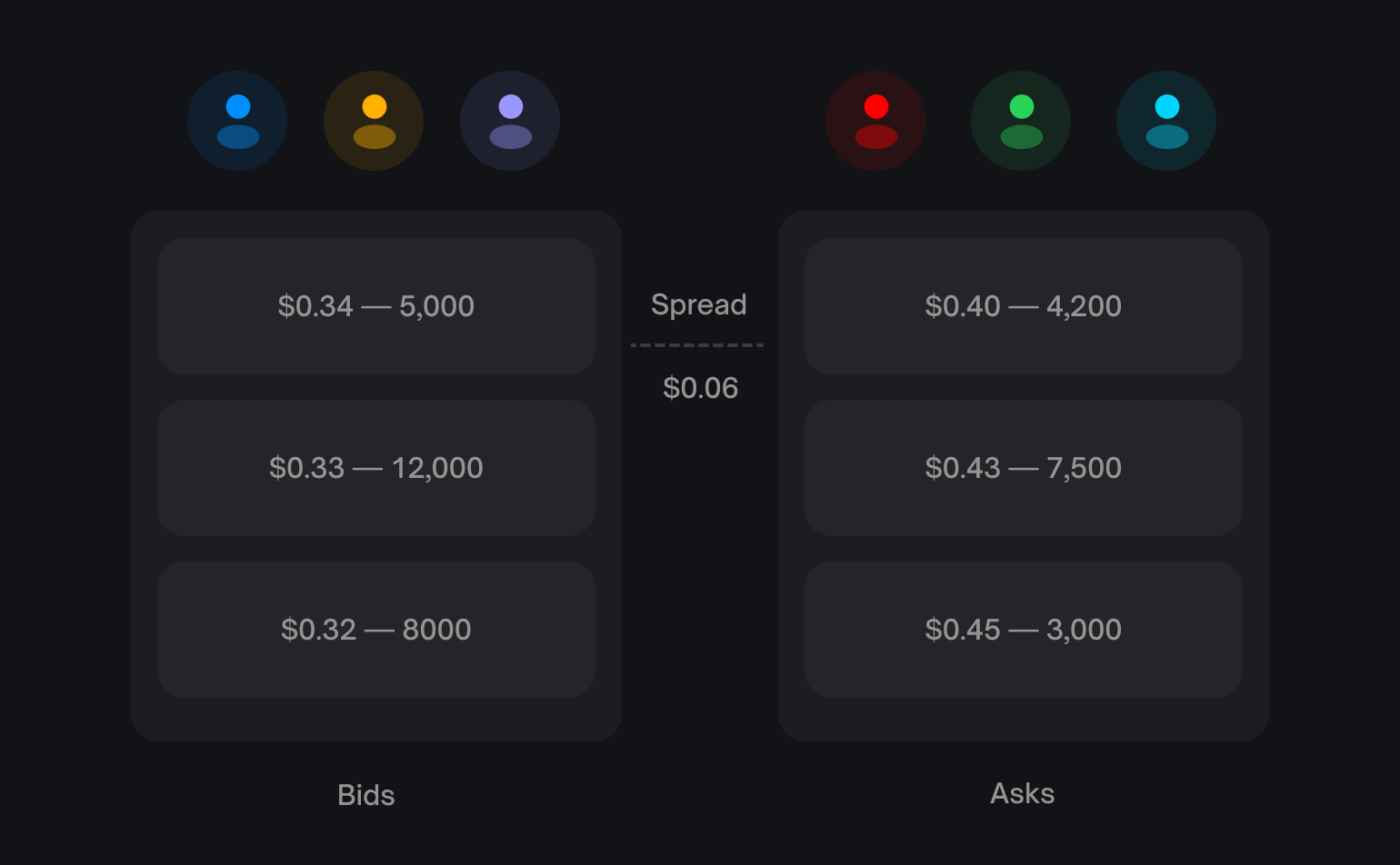
If the best bid for "Yes" is `$0.34` and the best ask is `$0.40`:
```
Displayed price = ($0.34 + $0.40) / 2 = $0.37 (37% probability)
```
You won't necessarily trade at `$0.37`—you'll pay the ask (`$0.40`) when buying or receive the bid (`$0.34`) when selling.
## The Order Book
The order book is a list of all open buy and sell orders for a market. It has two sides:
| Side | Description |
| - | - |
| Bids | Buy orders—the highest prices traders are willing to pay |
| Asks | Sell orders—the lowest prices traders are willing to accept |
The **spread** is the gap between the highest bid and lowest ask. Tighter spreads mean more liquid markets.
## Order Types
### Market Orders
Execute immediately at the best available price. Use when you want instant execution and are willing to pay the spread.
* **Buying**: You pay the lowest ask price
* **Selling**: You receive the highest bid price
### Limit Orders
Execute only at your specified price or better. Use when you want price control and are willing to wait.
* Your order sits in the book until someone trades against it
* Orders can **partially fill** as different traders match portions of your order
* You can cancel unfilled orders at any time
All orders on Polymarket are technically limit orders. A "market order" is
simply a limit order priced to execute immediately against resting orders.
## How Trades Work
Polymarket's CLOB is **hybrid-decentralized**:
1. **Offchain matching** — An operator matches compatible orders
2. **Onchain settlement** — Matched trades settle via smart contracts
```mermaid theme={null}
flowchart LR
A[Signed orders] --> B[CLOB matching]
B --> C[Onchain settlement]
C --> D[pUSD and outcome tokens change owners]
```
This design gives you the speed of centralized matching with the security of onchain settlement. You maintain custody of your assets until a matched trade settles atomically.
The CLOB is shared across markets, while the settlement route depends on which system owns the outcome tokens: CTF or Polymarket Protocol V2.
## Price Discovery
When a new market launches, there's no initial price. The first price emerges when:
1. Someone places a limit order to buy Yes at a price (e.g., `$0.60`)
2. Someone places a limit order to buy No at the complementary price (e.g., `$0.40`)
3. Since `$0.60` + `$0.40` = `$1.00`, the orders match
When matched, `1 pUSD` of collateral creates a complete set through the market's owning system. The Yes and No outcome tokens go to their respective buyers. The reverse operation can merge a complete set back into `1 pUSD`.
## Next Steps
Polymarket's orderbook has **no trading size limits** — it matches willing
buyers and sellers of any amount. However, large orders may move the price
significantly. Always check orderbook depth before trading in size.
Learn about outcome tokens and how positions work.
Understand what happens from order placement to settlement.
This documentation is built and hosted on [Mintlify](https://mintlify.com), a developer documentation platform.
## Prices Are Probabilities
Every share on Polymarket is priced between `$0.00` and `$1.00`. The price directly represents the market's belief in the probability of that outcome.
| Price | Implied Probability |
| - | - |
| \$0.25 | 25% chance |
| \$0.50 | 50% chance |
| \$0.75 | 75% chance |
The displayed price is the **midpoint** of the bid-ask spread. If the spread
is wider than \$0.10, the last traded price is shown instead.
### Example
If the best bid for "Yes" is `$0.34` and the best ask is `$0.40`:
```
Displayed price = ($0.34 + $0.40) / 2 = $0.37 (37% probability)
```
You won't necessarily trade at `$0.37`—you'll pay the ask (`$0.40`) when buying or receive the bid (`$0.34`) when selling.
## The Order Book
The order book is a list of all open buy and sell orders for a market. It has two sides:
| Side | Description |
| - | - |
| Bids | Buy orders—the highest prices traders are willing to pay |
| Asks | Sell orders—the lowest prices traders are willing to accept |
The **spread** is the gap between the highest bid and lowest ask. Tighter spreads mean more liquid markets.
## Order Types
### Market Orders
Execute immediately at the best available price. Use when you want instant execution and are willing to pay the spread.
* **Buying**: You pay the lowest ask price
* **Selling**: You receive the highest bid price
### Limit Orders
Execute only at your specified price or better. Use when you want price control and are willing to wait.
* Your order sits in the book until someone trades against it
* Orders can **partially fill** as different traders match portions of your order
* You can cancel unfilled orders at any time
All orders on Polymarket are technically limit orders. A "market order" is
simply a limit order priced to execute immediately against resting orders.
## How Trades Work
Polymarket's CLOB is **hybrid-decentralized**:
1. **Offchain matching** — An operator matches compatible orders
2. **Onchain settlement** — Matched trades settle via smart contracts
```mermaid theme={null}
flowchart LR
A[Signed orders] --> B[CLOB matching]
B --> C[Onchain settlement]
C --> D[pUSD and outcome tokens change owners]
```
This design gives you the speed of centralized matching with the security of onchain settlement. You maintain custody of your assets until a matched trade settles atomically.
The CLOB is shared across markets, while the settlement route depends on which system owns the outcome tokens: CTF or Polymarket Protocol V2.
## Price Discovery
When a new market launches, there's no initial price. The first price emerges when:
1. Someone places a limit order to buy Yes at a price (e.g., `$0.60`)
2. Someone places a limit order to buy No at the complementary price (e.g., `$0.40`)
3. Since `$0.60` + `$0.40` = `$1.00`, the orders match
When matched, `1 pUSD` of collateral creates a complete set through the market's owning system. The Yes and No outcome tokens go to their respective buyers. The reverse operation can merge a complete set back into `1 pUSD`.
## Next Steps
Polymarket's orderbook has **no trading size limits** — it matches willing
buyers and sellers of any amount. However, large orders may move the price
significantly. Always check orderbook depth before trading in size.
Learn about outcome tokens and how positions work.
Understand what happens from order placement to settlement.
This documentation is built and hosted on [Mintlify](https://mintlify.com), a developer documentation platform.